


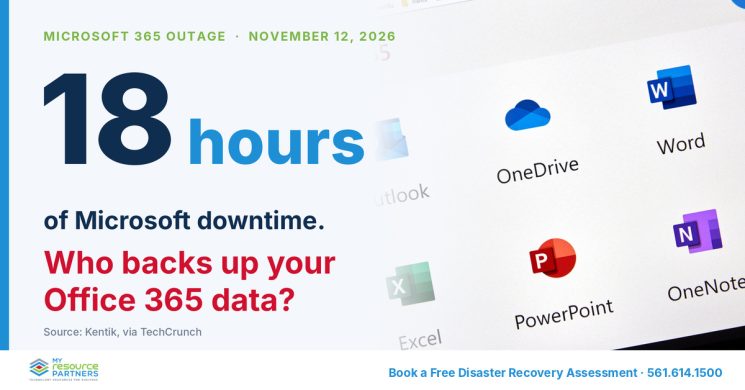
Millions of people lost email on Thursday, November 12, and Kentik measured about 18 hours of downtime. If that day made you wonder about your Office 365 backup, you asked the right question. Fox Business counted more than 130,000 Downdetector problem reports by 2 p.m. ET.
We want to give you a straight answer, not a scare. An outage differs from data loss, and reporters found no confirmed data loss this time. The same dependency still exposes your email and files to the next failure.
What happened during the Microsoft 365 outage on November 12?
Here is what we know so far. Microsoft said a large number of servers became unexpectedly unavailable. Failed health checks then strained the remaining infrastructure, according to Fox Business. Microsoft reported no evidence of malicious activity.
Microsoft also said a traffic spike did not drive the load. Engineers had been testing a configuration change when servers failed automated health checks. Downdetector counts reports, not affected users, so nobody yet knows the exact toll.
Outlook, Teams, SharePoint, Copilot, and Defender all felt the impact. Some emails only trickled in as Outlook recovered, TechCrunch reported. Microsoft had not named a root cause when that story ran.
Administrators lost their Intune dashboards too, so even the people who fix problems lost some of their tools. Your team lost time, not data. We would rather you plan for the version that costs both.
Treat this outage as a free stress test. It hit email, meetings, files, and security tools at once. Few companies keep a second path to those systems. Ask yourself what your team could still reach at hour six.
Does Microsoft handle Office 365 backup for you?
Not fully, and the contract explains why. Section 6b of the Microsoft Services Agreement says every online service suffers occasional outages. It also warns that you may not retrieve your content during one.
Microsoft recommends that you back up your content regularly. Many leaders assume the provider owns backup. That assumption is understandable, and it carries risk. Microsoft keeps the platform running. You keep responsibility for the data inside it. That split is the core of a shared-responsibility approach to cloud security.
Consider a hypothetical scenario. A departing sales director deletes her mailbox on her last day. Ninety days later, a client dispute needs those emails. Native recovery has expired, and nobody can retrieve the thread.
Backup differs from recovery tools. Retention policies and recycle bins help with short-term mistakes. A true backup keeps an independent copy that you control for as long as your rules require. It also gives you a clean path back after ransomware or a mistaken bulk deletion.
Compliance raises the stakes. Auditors hold you responsible for your records, whichever vendor stores them. We suggest one question for your IT team this week: when did we last test a restore? A clear answer tells you a lot.
Native recovery tools also run out of road. Microsoft’s native recovery covers about 90 days in most scenarios, yet many industries require records for six years or more.
See what you’re missing: book a FREE Disaster Recovery Assessment.
What does one lost business day cost a 150-person company?
Put a number on the risk so you can judge it yourself. The figures below are illustrative, except the 18-hour outage.
- 18 hours: reported downtime on November 12 (Kentik, via TechCrunch)
- 150 employees × $60 loaded hourly cost = $9,000 per hour
- $9,000 × 8 hours of disrupted work in one business day
- = $72,000 of disrupted productivity from a single day
Replace our numbers with yours. Use your headcount, your payroll data, and the hours your team spends in Outlook and Teams. Then add the costs the formula misses: late client responses, missed deadlines, and overtime to catch up. Those costs rarely appear on a payroll report.
That figure covers downtime only. We would also ask two harder questions. How would your business operate after losing a year of email? How heavy would the fines be if an auditor requested those records?
Treat backup as an insurance policy. You pay a small, predictable premium against a large, unpredictable loss. South Florida leaders already buy hurricane coverage and plan for storms. Your cloud data deserves the same discipline.
We suggest sharing the cost number with your CFO. It turns an IT topic into a business decision.
Where should you start with Office 365 backup?
If you want a place to start, take three steps. First, list where your critical data lives, beginning with email and files. Second, match each system to its retention requirement. Third, test a restore before you need one.
Keep the first pass small. Pick your most regulated mailboxes, such as finance, legal, and HR. Confirm how long you must keep their records. Then ask your IT team which recovery options exist today.
Make the restore test real. Choose one mailbox and one shared folder. Ask your IT team to restore both to a test location. Time the restore, and write down anything that broke.
When you talk to a provider, ask four plain questions. What does it cover? How long does it keep copies? Where does it store them? How fast does it restore? Ask for every answer in writing.
You do not need to buy anything to finish these steps. You need clear answers and a written record of them.
My Resource Partners is a technology advisory firm, not a reseller. We have these conversations with providers on your behalf. We sell no backup product, so we judge each answer against your risk, your compliance needs, and your budget.
Your business stays vulnerable to losing critical emails and files until someone tests your Office 365 backup. Book a FREE Disaster Recovery Assessment, and we will show you what Microsoft covers and what you must protect. Book your assessment here or call 561.614.1500.
Related reading