

It’s the first week of November, and returning snowbirds already fill your call log. Without an AI-powered sales CRM, your reps track them in spreadsheets, inboxes, and memory.
By mid-December, nobody remembers which prospect asked for a callback after Thanksgiving. That prospect doesn’t wait. They buy from the competitor who called first.
South Florida season packs a year of selling into roughly six months. A lead you drop in December rarely returns in April. That turns your CRM choice into a revenue decision, not an IT decision.
Why do spreadsheets and old CRMs lose leads during snowbird season?
Spreadsheets hold data, but they never tell anyone what to do next. Many older CRMs work the same way. They act as digital filing cabinets, and your reps must remember to open the right drawer.
That model breaks when volume spikes. A rep with 40 open conversations can’t hold every callback date in their head. Someone forgets a text, a quote sits unsent, and a warm lead goes cold.
Seasonal hiring makes it worse. New reps don’t know your products, your pitch, or your history with a returning client. A data-only CRM hands them a list of names and little else.
Season also adds a clock. Snowbirds arrive on their own schedule and head north by spring. Your window shrinks each week, and a data-only system gives no warning.
Toggling between the CRM, a phone app, and Outlook costs even more ground. Each switch burns minutes and context. These five signs your CRM is stalling your sales process show where the leaks usually start.
See what you’re missing: Book a Free Sales CRM Evaluation before peak season.
What does an AI-powered sales CRM actually do differently?
A modern sales CRM runs your process instead of just recording it. Four capabilities separate it from a data warehouse.
One dashboard for every customer
Your agent sees past emails, texts, calls, open deals, and upcoming maturity dates on one screen. AI summarizes that history, so the rep walks into every call prepared.
Calls, texts, and emails inside the CRM
When you integrate the CRM with your phone system, agents never leave it. They click to call, text, or email, and the CRM logs each touch automatically.
Workflows and sequences that guard every lead
Workflows assign new leads, trigger reminders, and escalate stalled deals. Sequences prompt the rep to call, text, or email on a set cadence until the prospect responds.
Ready-made playbooks
Playbooks put pitches, scripts, objection answers, company FAQs, and email templates inside the deal record. New seasonal hires sound like veterans in week one.
AI also scores leads and drafts follow-up emails. Your reps spend their hours on the prospects most likely to buy.
Workflows and sequences matter most. They turn follow-up from a habit into a system, so no lead gets lost in the shuffle. We cover the mechanics in how a sales CRM helps you stop losing leads. If deals stall after the first meeting, read why your CRM shouldn’t be where deals die.
How much revenue does a better CRM actually recover?
These numbers come from CRM vendor data, so treat them as a direction, not a guarantee. Still, they show what disciplined follow-up can do.
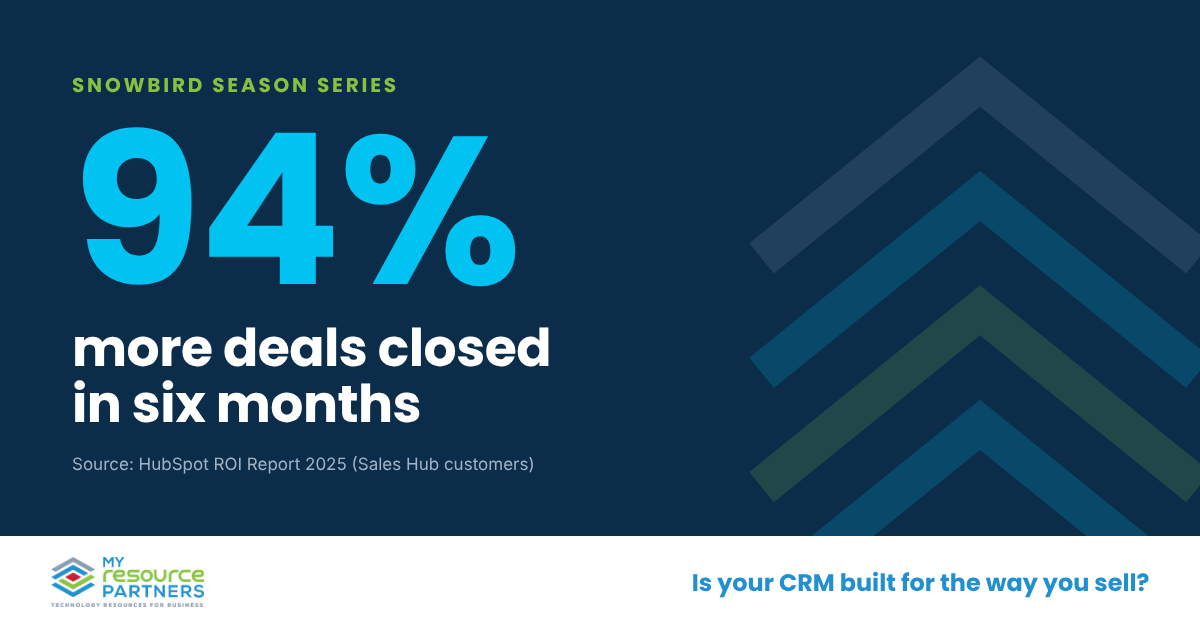
In HubSpot’s 2025 ROI Report, Sales Hub customers closed 94% more deals after six months. Customers who used its AI sales features cut average time to close by 48%. And 73% of sales professionals reported better win rates.
In season, speed compounds. A 31-day cycle lets you close a January lead before the snowbird heads north. A 60-day cycle pushes that deal into April, when many prospects have already gone home.
Your results will vary with your data, your process, and your team’s adoption. That’s exactly why an outside evaluation pays off before you commit.
7 Questions to Ask Before You Choose an AI-Powered Sales CRM
Use these questions with any provider, including ones we never recommend. A strong partner answers them plainly. A weak one changes the subject.
- How do your workflows and sequences keep every lead from going untouched?
Why it matters: Automated follow-up separates a sales CRM from a contact database.
- Does the CRM integrate with our current phone system for calls and texts?
Why it matters: Reps who leave the CRM to call or text skip the logging.
- What does an agent see on a single customer screen?
Why it matters: Emails, texts, deals, and maturity dates in one view speed every call.
- Which AI features come with our tier, and which cost extra?
Why it matters: Many providers lock AI behind premium licenses or add-ons.
- Can we load our own scripts, objection answers, FAQs, and templates as playbooks?
Why it matters: Playbooks let new seasonal hires sell like veterans.
- Who migrates our spreadsheet and legacy data, and how long will it take?
Why it matters: A messy migration pushes go-live past peak season.
- How do you track adoption after go-live?
Why it matters: An unused CRM recovers zero leads.
My Resource Partners is a technology advisory firm, not a reseller. We hold this conversation with providers on your behalf. We compare their answers, flag the risks, and negotiate terms, so you choose on fit instead of a sales pitch.
Is your CRM ready before peak season starts?
Snowbird season rewards the team that follows up first and follows up often. An AI-powered sales CRM makes that discipline automatic. A spreadsheet leaves it to memory.
Start with an honest look at your current tools. Trace how a lead travels from first call to signed deal. Every step that relies on memory marks a leak.
Every snowbird lead your team forgets to call back funds a competitor’s season. Book a Free Sales CRM Evaluation, and we’ll pinpoint where leads slip through your current process. You’ll leave with a clear plan, whatever platform you choose.
Book your Free Sales CRM Evaluation · 561.614.1500
Not ready to talk yet? Grab the Snowbird Season Lead-Leak Scorecard. Score your CRM against 12 checkpoints that separate a filing cabinet from a sales engine. In ten minutes, you’ll see where snowbird leads slip away and which gap to fix first.
Sales CRM Articles